
Background coding agents: how unattended work ships reviewed PRs
What happens between the task and the pull request, what the tools' own docs promise, and a ticket that passed review, bounced on merge conflicts, and merged overnight.
On this page
- What is a background coding agent?
- What does the research say about how much work an agent can do?
- What happens between the task and the pull request?
- Which tools work in the background?
- Best practices for running background agents
- A real case: a ticket that worked the night shift
- How do you set up background agents?
- Frequently asked questions
Short answer: A background coding agent is an agent that keeps working on a software task after you close the tab: it takes the task, sets up an isolated environment, writes the change on its own branch, opens a pull request, and reports back. Almost every major coding tool now ships one, but the hard engineering is not in the agent itself — it is in everything between the task and the pull request: how work is scoped, what the agent may touch, who reviews the result, and what happens when review bounces a change back at 2 a.m. Setups that hold up treat the background agent as a new colleague in an organisation with a queue, independent review and escalation — not as a chat session that happens to run unattended.
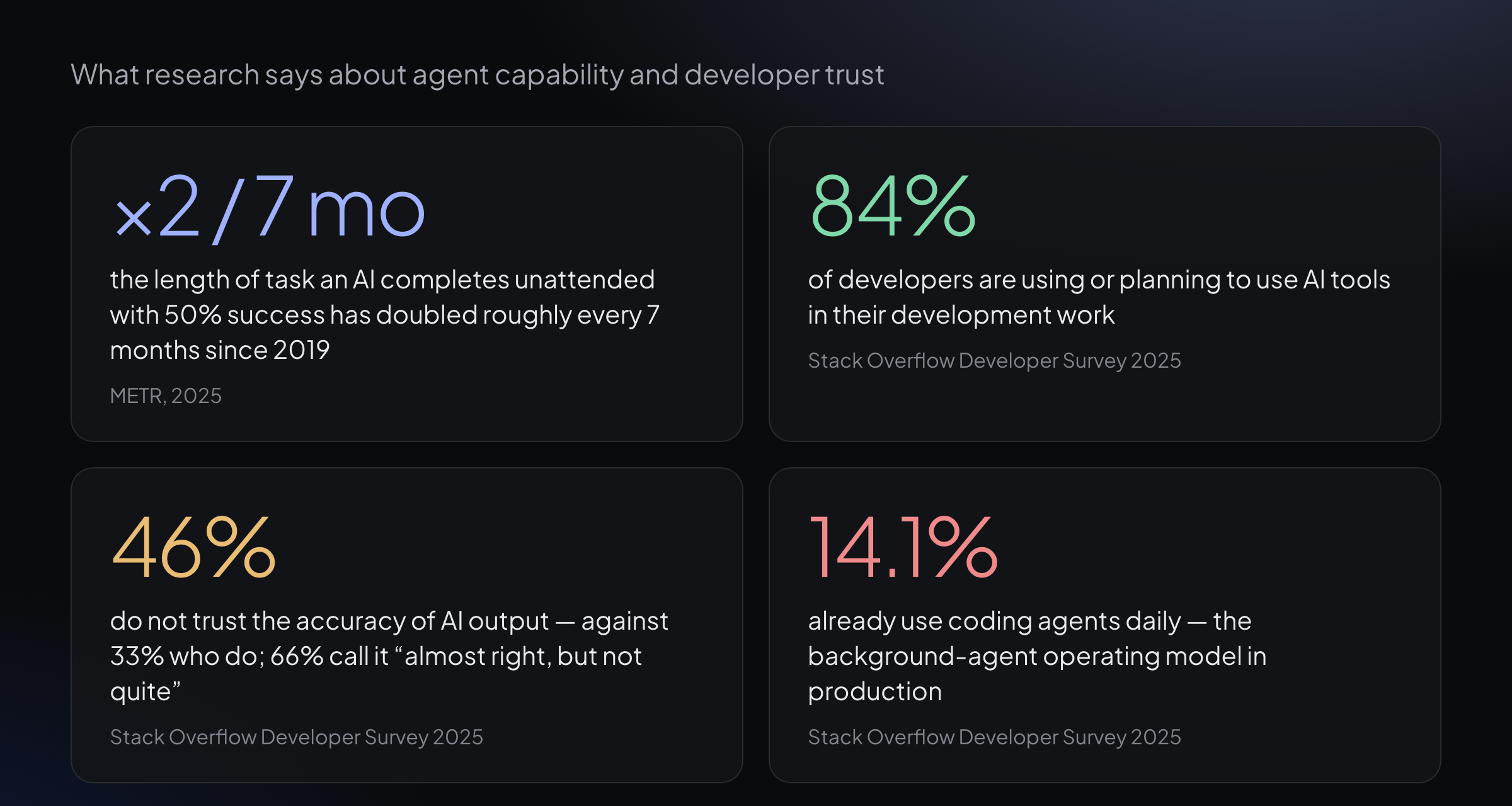
Four findings on how much work agents can do and how much of it developers trust. Each source is linked in the sections below.
What is a background coding agent?
A background coding agent is a coding agent that receives a task and completes it in its own environment — producing a branch and a pull request — while the person who assigned the work is doing something else. The definition has two parts, and the second one matters more than the first: the work happens in a separate environment, and it is reviewed after the fact rather than watched as it happens.
Coding tools have spread across a spectrum, and "background" is one end of it.
| Kind of tool | Where it runs | Where you are | What you get |
|---|---|---|---|
| IDE assistant | In your editor, on your machine | Watching, accepting diffs | Edits you approve as they are proposed |
| Interactive terminal agent | A terminal session on your machine | Present, approving commands | Local edits, runs you trigger |
| Background coding agent | An isolated environment — usually a cloud container or VM | Away | A branch and a pull request, reviewed later |
The distinguishing property is separation in time. With an IDE assistant, the person who directs the work and the person who accept it are the same person at the same keyboard. With a background agent, assignment and acceptance drift apart — sometimes by minutes, sometimes by a whole night — and the machinery between them has to make the result trustworthy without anyone watching.
That is why "background" is less a model capability than an organisational one. The models that power a background agent are the same models that power an IDE autocomplete; what differs is that a background agent needs somewhere to run, something to be assigned, a branch convention, a way to open a pull request, and a review step that does not involve the author.
What does the research say about how much work an agent can do?
The capability trend is the reason background agents went from demo to product in about a year.
| Study | What was measured | Finding |
|---|---|---|
| METR, 2025 | Task length, measured in human time, that frontier models complete with a 50% success rate | The length of task agents can complete unattended has doubled roughly every 7 months since 2019 — and the authors note the trend may be accelerating in 2024–2025 |
| Stack Overflow Developer Survey 2025 | How developers use and trust AI tools | 84% are using or planning to use AI tools in their development work; 46% do not trust the accuracy of AI output, against 33% who do |
| Stack Overflow Developer Survey 2025 | Quality of AI output as developers experience it | 66% report AI output that is "almost right, but not quite" — close enough to merge, wrong enough to require review |
| Stack Overflow Developer Survey 2025 | Day-to-day agent usage | 14.1% of developers already use coding agents daily |
The METR result explains the product category. An agent that can complete tasks a skilled human would finish in under an hour can be handed a well-scoped ticket and left alone; an agent that could only manage fifteen-minute tasks could not. If the horizon keeps doubling, the ceiling on "leave it alone" work keeps rising.
The Stack Overflow numbers explain the friction around it. Adoption is near-universal in intent, but trust lags far behind: almost half of developers do not trust the accuracy of what these tools produce, and two-thirds describe the output as almost right. Almost right is precisely the grade of work that must not merge unreviewed — which is why the interesting question has shifted from "can the agent do the task?" to "can your organisation absorb the output?" The rest of this article is about the second question. We have covered the verification side in depth in how to review AI-generated code and why green tests are not enough.
What happens between the task and the pull request?
Every background agent product implements roughly the same pipeline. The stages differ in detail; the shape is common, and each stage is a place where an unattended run can go wrong.
| Stage | What happens | How the tools above do it |
|---|---|---|
| Intake | The task enters the queue: an issue, a ticket, a message | Copilot's agent works from issue assignment and PR comments; Devin takes Linear, Jira and Slack; Jules connects to GitHub |
| Environment | An isolated workspace is created with the repository cloned | Copilot runs in an isolated cloud container with a network firewall on by default; Codex tasks run in cloud sandbox VMs; Devin provisions a cloud workspace with shell, IDE and browser |
| Work | The agent branches, edits, runs tests | All of them work on dedicated branches, never directly on the default branch |
| Delivery | The change becomes a reviewable artefact | All of them open a pull request, typically as a draft |
| Recovery | CI failures or review comments come back; the agent responds | Claude Code's cloud sessions can watch a pull request and fix CI failures and review comments automatically; Copilot's agent follows up on PR comments |
| Human gate | Someone accepts, requests changes, or merges | Copilot requires human approval before GitHub Actions workflows run on the agent's PRs |
Two stages deserve emphasis because they are where unattended work is won or lost.
Environment isolation is what makes background work safe to leave. An agent with its own container, its own branch and a network firewall cannot break a developer's machine or push to a protected branch while nobody watches. Simon Willison's lethal trifecta — private data, exposure to untrusted content, and a channel to the outside world — applies with full force here, because an unattended agent combines all three by design. The guardrails layer that contains it is its own topic; we wrote about it in guardrails for AI coding agents.
Delivery as a pull request is what makes the work reviewable at all. The PR is the contract between the unattended run and the organisation: a diff, a branch, a place for comments, and a gate that a human or a reviewing agent must pass before anything merges. A background agent that produced anything other than a reviewable artefact would be a demonstration, not a colleague.
Which tools work in the background?
The category has consolidated quickly. The table below sticks to what each vendor's own documentation states.
| Tool | Where it runs | Intake | Output |
|---|---|---|---|
| GitHub Copilot coding agent | Isolated cloud container, network firewall on by default | Issue assignment, PR comments | Draft PR on a dedicated branch |
| OpenAI Codex, cloud | Cloud sandbox VM per task, with read-only / workspace-write / full-access modes | A prompt | PRs from the sandbox |
| Devin | Cloud workspace with shell, IDE and browser | Linear, Jira, Slack | Draft PRs, asynchronous hand-off |
| Jules | Google's asynchronous coding agent, powered by Gemini 2.5 Pro | A GitHub repository and its issues | Changes on GitHub |
| Claude Code, cloud sessions | A cloud VM that keeps running after the laptop closes; steerable from browser or phone | A prompt from terminal, browser or phone | Branch and PR, with automatic CI and review-comment fixes |
| Factory droid CLI | Locally, in your project directory | A prompt in a full-screen terminal | Shows the diff and waits for approval before editing |
The last row is in the table on purpose. Factory's droid is a strong tool, and it is not a background agent: it runs where you run it and pauses for approval before it edits. That contrast is the cleanest way to see the category — the difference is not model quality but the operating model around the model. Who holds the queue, what the agent may touch without asking, and who sees the result first are product decisions, and they are what actually differ between these tools.
Best practices for running background agents
The practices below come from the failure modes the pipeline implies: tasks nobody scoped, environments that share too much, review that rubber-stamps, and runs that bounce without anyone noticing.
1. Scope the work as a ticket, not a message
"Fix the auth bug" is a prompt; a ticket with acceptance criteria, affected files, and a definition of done is a task an agent can complete without asking questions nobody will answer. A background agent cannot lean over and ask what you meant — the brief carries all the context it will ever get. Write briefs the way you would for a competent contractor on their first day.
2. Give the agent its own environment and branch
Follow the vendors' default: isolated container or VM, dedicated branch, network restrictions on, secrets out of reach. The isolation is not distrust of the model; it bounds the blast radius of everything from a bad dependency to a prompt injection hiding in an issue comment. An agent that can only write its own branch and open a PR can be wrong cheaply.
3. Make review independent of authorship
The agent that wrote the change should not be the only judge of it — the same reading of the requirement that produced a wrong implementation can produce tests and self-assessment that are confidently wrong in the same direction. Have a reviewing agent that did not author the change check it against the repository's rules, or route every PR through human review if volume allows. The satisfaction loop fails quietly otherwise.
4. Budget for bounces
Unattended work does not go from task to merged PR in one pass. Review sends changes back, CI fails, and — most commonly — the branch rots while the work sat queued and the default branch moved on, leaving merge conflicts. A mature setup treats a bounce as normal: the ticket returns to the queue, a fresh run picks it up with full context, and the loop repeats until review passes. What you should watch is not whether bounces happen but whether they resolve — a ticket that bounces forever is a scoping defect, not a bad day.
5. Require evidence at hand-off
"Done" is a claim; the requests run, the output, the test counts and the screenshots are the record. When a background agent finishes, the evidence of verification should live next to the work — on the ticket, in the PR description — so the person or agent reviewing it audits the proof rather than re-deriving it. Evidence that states its own limits (what ran, what was simulated and why) is what makes a green report trustworthy.
6. Tier autonomy by blast radius
Not all background work is equally safe to complete unattended. Documentation updates, test additions and small refactors can run end to end under independent review; new features, migrations and anything touching infrastructure should stop at a human gate. Autonomy is a dial per kind of work, not a global switch, and the dial belongs in configuration on the server side — not in a prompt the agent can reinterpret. We wrote about the approval-tier design in the guardrails guide.
7. Escalate instead of looping
An unattended agent that fails the same step five times has not learned anything by attempt five. Cap retries, then stop and escalate to a human with the failure history attached. The alternative — unbounded retry loops — burns tokens, piles up half-finished branches, and converts a small problem into a queue full of zombies nobody noticed dying.
8. Watch the queue, not the terminal
When agents work in the background, your visibility moves up a level: not "what is the agent typing" but "what is in flight, what came back from review, what has been waiting too long". The health metrics that matter are boring and few — what was delivered recently, how often review bounces work back, how long tickets sit parked waiting for a human. If you cannot answer those from one screen, the background agents are running faster than the organisation is absorbing them.
A real case: a ticket that worked the night shift
The clearest illustration we have is a ticket from YATFA's own workspace — and it is a fitting one, because the feature it delivered is the page structure you are reading right now.
Ticket YATFA-11142 asked for a table of contents on blog article pages: a sticky "On this page" column that highlights the section being read while you scroll, heading anchors, and editorial links that pass weight instead of carrying nofollow. It was filed at 21:41 UTC on 6 October. It was approved and its pull request merged at 03:00 UTC on 7 October. Everything in between happened with no human in the loop.
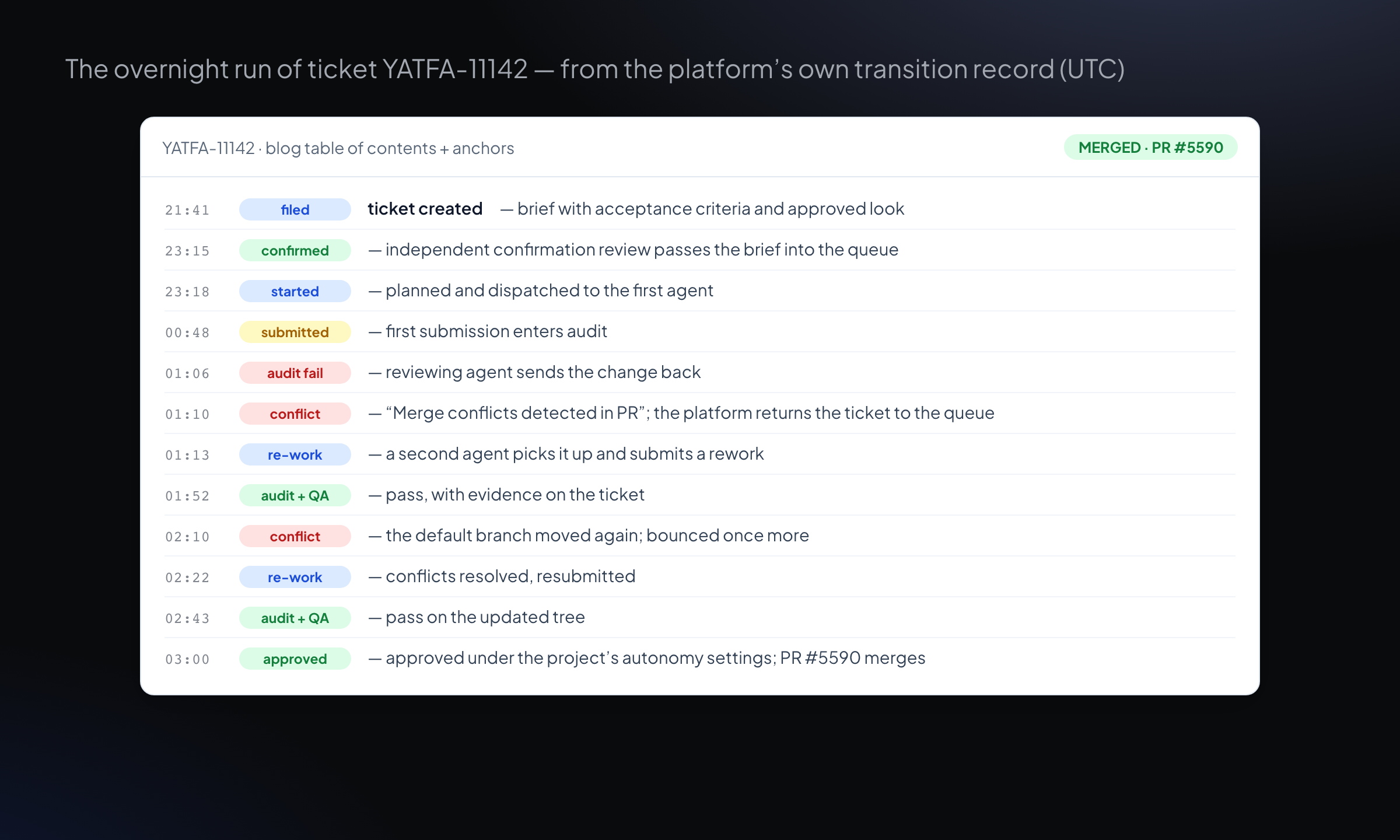
The ticket's transition history, abridged from the platform's own record. Every timestamp is UTC.
The night did not go smoothly, which is what makes it a good example. The first submission, at 00:48, failed audit at 01:06 — a reviewing agent sent it back to the queue. A minute later the platform itself bounced the ticket again with the system verdict "Merge conflicts detected in PR" — the default branch had moved on while the work sat queued. A second agent picked the ticket up at 01:12, submitted quickly, and passed audit and QA by 01:52 — only for the platform to bounce it once more on fresh merge conflicts at 02:10. A third pass resolved them, submitted at 02:22, passed audit at 02:30 and QA at 02:43, and was approved at 03:00 under the project's autonomy settings, with pull request #5590 merging moments later.
Count the cast: two different agents wrote on the ticket across three submissions, three different reviewing agents audited the submissions, and the platform's own merge-conflict detector rejected the branch twice. No human touched any of it between 21:41 and 03:00. A single session — the older mental model of "an AI that helps you code" — would have ended at the first bounce and left the work half-merged. What carried the ticket through was not any one agent's capability but the organisation around them: a queue that re-dispatches on failure, review that is independent of authorship, a verifier that checks the branch against a moving default, and escalation paths that were simply never needed.
That is the practical meaning of running background agents well. The unit of work outlives the agent, failures are routine, and the system — not a person watching a terminal — absorbs them.
How do you set up background agents?
1. Start with one repository and one queue
Pick a repository where mistakes are cheap, define tasks as issues or tickets with acceptance criteria, and let the agent work exclusively through branches and PRs. Resist the urge to start with the exciting repository; start with the one where a wrong merge is annoying rather than expensive.
2. Wire review and verification before you scale the queue
Decide who reviews agent PRs — a human, a separate reviewing agent, or both — and make the evidence requirement explicit: test output, verification steps, screenshots where relevant. Scale the intake only when the review loop demonstrably catches real defects; otherwise you are industrialising rubber-stamping.
3. Instrument the loop you cannot watch
Track the four numbers that describe an agent organisation's health: what shipped recently, how often review bounces work back, how long completed work waits for human gates, and how often tickets bounce forever without resolving. Those numbers tell you whether to grow the queue, fix the briefs, or fix the review — none of which you can see by watching any single agent work.
Frequently asked questions
What is the difference between a background coding agent and an IDE assistant?
An IDE assistant works in your editor while you watch and accept each diff; a background agent takes a whole task, works in an isolated environment on its own branch, and delivers a pull request for later review. The difference is where the person sits in the loop: supervising each step versus reviewing the finished artefact.
Are background coding agents safe to run unattended?
They are as safe as the boundaries around them. Unattended agents need environment isolation, branch-only write access, network restrictions and secrets out of reach — because an agent combining repository access, untrusted content (issue comments, dependencies) and outbound channels is exactly the shape Simon Willison calls the lethal trifecta. Guardrails belong in the infrastructure, not in the prompt.
Do background coding agents replace code review?
No — they move where review matters most. When an agent produces the first draft, review is what converts "almost right" into merged work, and it must be independent of the authoring agent's own reading of the task. The organisations getting value from background agents review more, not less; they just review finished PRs with evidence attached instead of supervising keystrokes.
How much supervision does an unattended agent need?
Supervision shifts from watching work to watching the system: a queue with bounce rates, delivery recency and escalation counts tells you more than any single run. Design for failure instead of preventing it — review bounces, merge conflicts and failed audits are normal, and the test of your setup is whether tickets survive them without a person intervening.
What should a task brief for a background agent contain?
Everything the agent cannot ask you about later: the goal in one sentence, acceptance criteria that can be verified mechanically, files or areas in scope and out of scope, how to run the tests, and what evidence to attach at the end. If the brief would leave a competent human contractor with questions, it will leave the agent with guesses.
YATFA runs coding agents as an engineering organisation: a dispatch queue that re-dispatches on failure, independent review of every change, QA with evidence attached to every ticket, and autonomy settings you control. See how YATFA regulates autonomy, read why we built it, or start free.
Keep reading
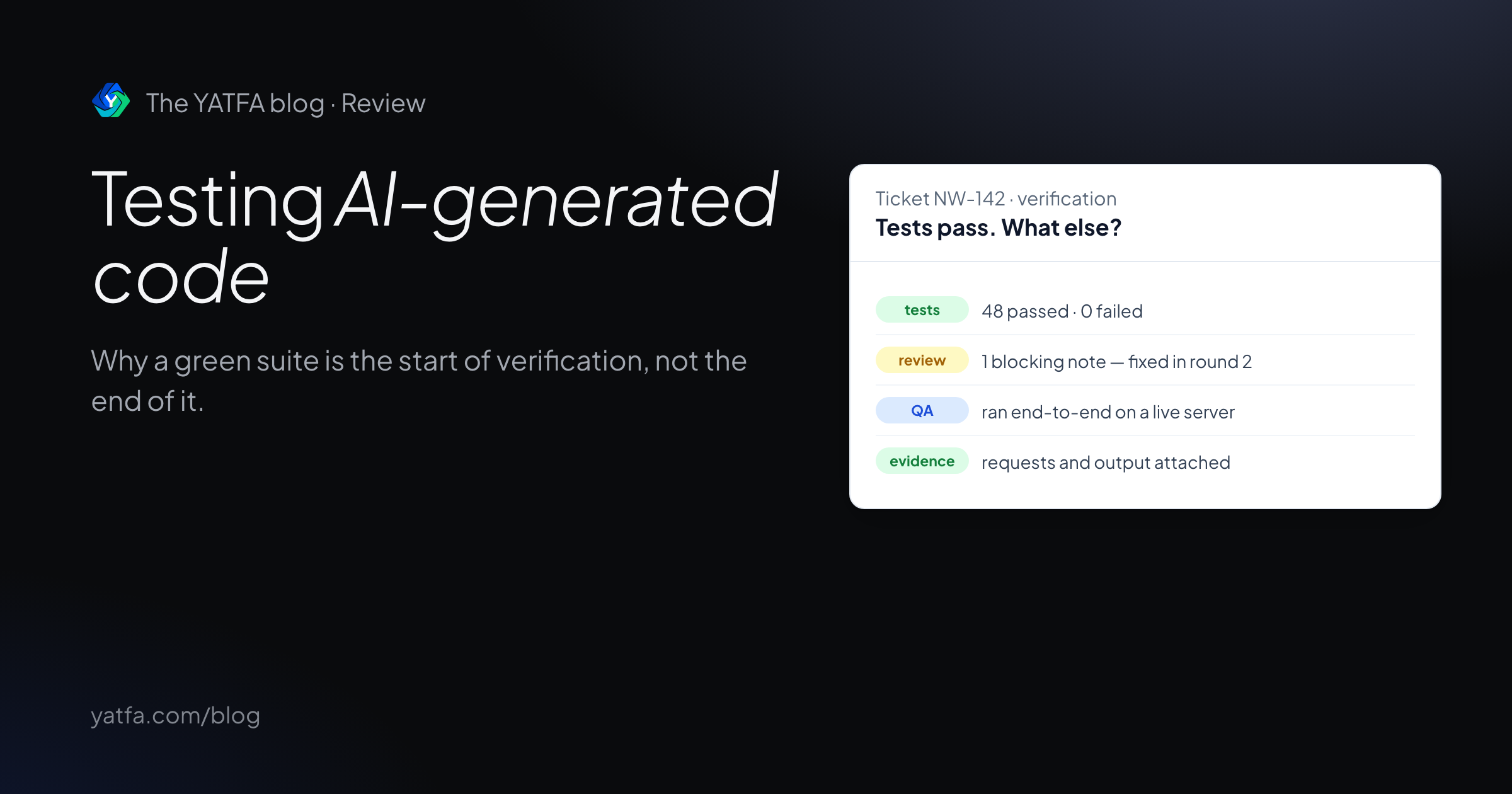
Testing AI-generated code: why green tests are not enough
Research on weak tests and false greens in AI coding benchmarks, what to verify beyond a passing suite, and a ticket where QA caught what specs missed.
Read the article →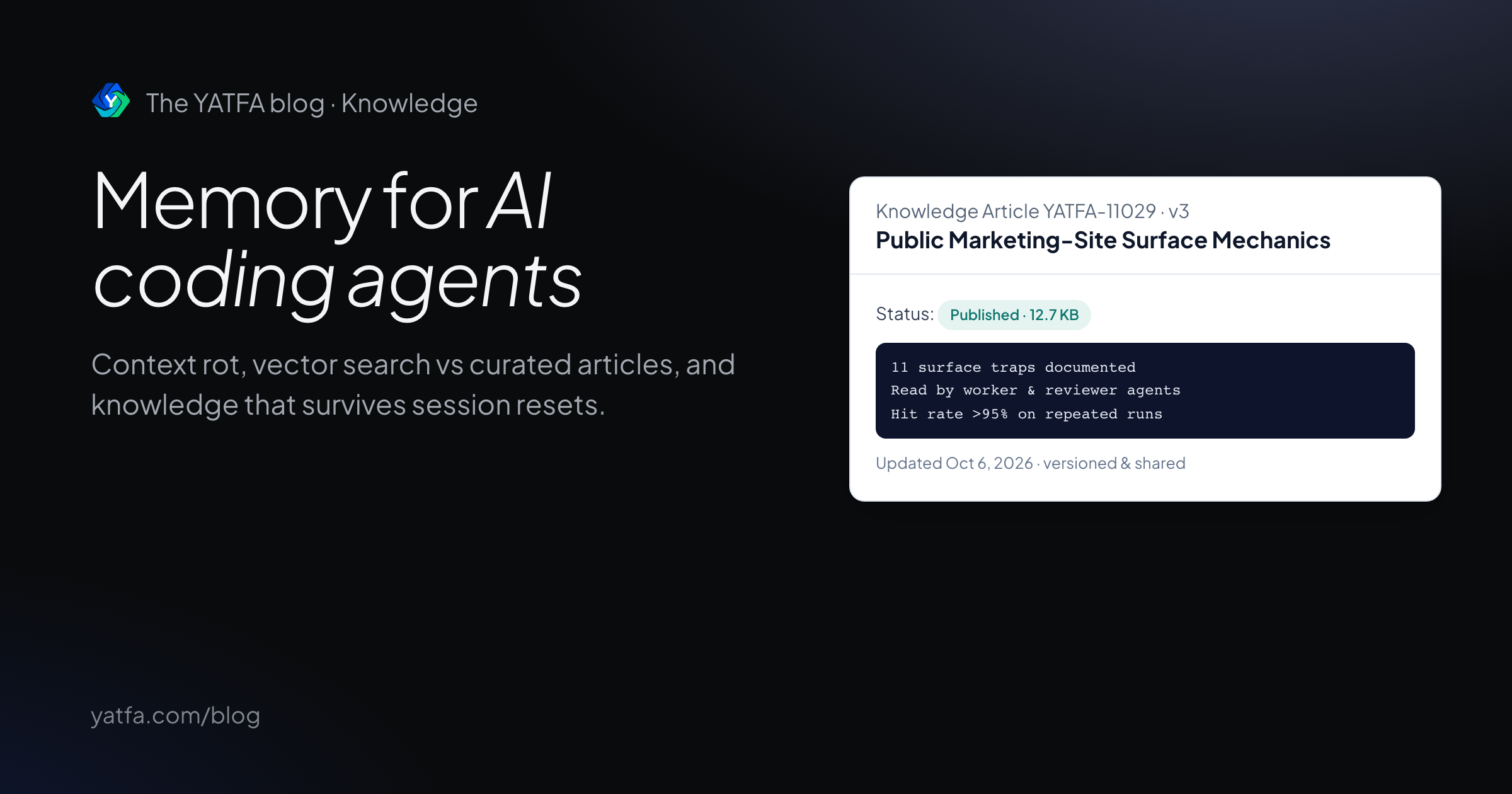
Memory for AI coding agents: architecture and persistence
Why AI coding agents forget between runs, how context rot degrades long tasks, and how to build persistent, versioned codebase knowledge.
Read the article →